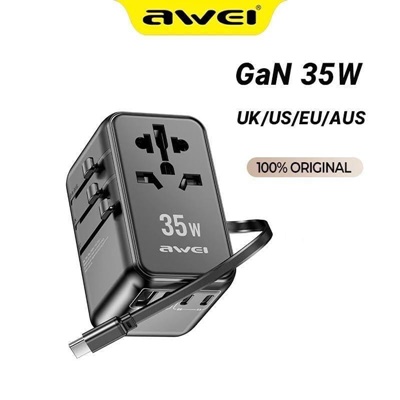
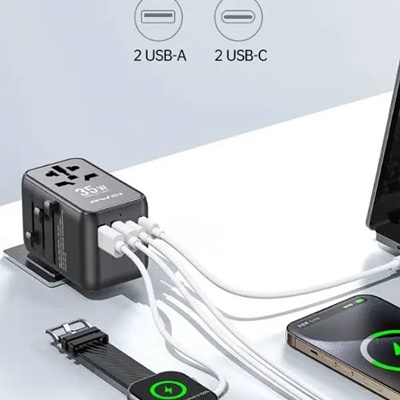
Awei G-52 Universal Travel Adaptor Wall Charger GaN with 4 Output
Technical Specifications
| Feature | Specification |
|---|---|
| Brand | Awei |
| Model | G-52 |
| Technology | GaN (Gallium Nitride) |
| Input | 100-240V ~ 50/60Hz, 1.5A Max |
| Total Max Output | 65W Max |
| USB-C1 Output (PD 3.0) | 5V/3A, 9V/3A, 12V/3A, 15V/3A, 20V/3.25A (65W Max) |
| USB-C2 Output (PD 3.0) | 5V/3A, 9V/2.22A, 12V/1.67A (20W Max) |
| USB-A1 Output (QC 3.0) | 5V/3A, 9V/2A, 12V/1.5A (18W Max) |
| USB-A2 Output | 5V/2.4A (12W Max) |
| Simultaneous Output (Example) |
|
| Universal Plug Types | US, EU, UK, AU |
| Safety Protections | Over-Voltage, Over-Current, Over-Temperature, Short-Circuit Protection |
| Material | PC Fireproof Material |
| Dimensions | 72mm x 65mm x 32mm |
| Weight | 185g |
| Color | Black |
| Certifications | CE, FCC, RoHS |
Usage Instructions
- Select Plug Type: Slide the corresponding button on the side to extend the desired plug (US, EU, UK, or AU). Ensure the other plugs are fully retracted before plugging into a wall socket.
- Connect to Power: Insert the Awei G-52 into a compatible wall outlet. The power indicator light will illuminate.
- Connect Devices: Plug your USB-C or USB-A charging cables into the appropriate ports on the adapter.
- Charge: Your devices will begin charging automatically. The intelligent power distribution will optimize charging speed for each connected device up to the total 65W output.
- Retract Plugs: When finished, unplug the adapter from the wall, then retract the extended plug by sliding its button back into the original position.
Note: This adapter converts electrical outlets but does NOT convert voltage. Ensure your devices are compatible with the local voltage (100-240V). Most modern electronics are dual voltage, but always check your device's specifications.